
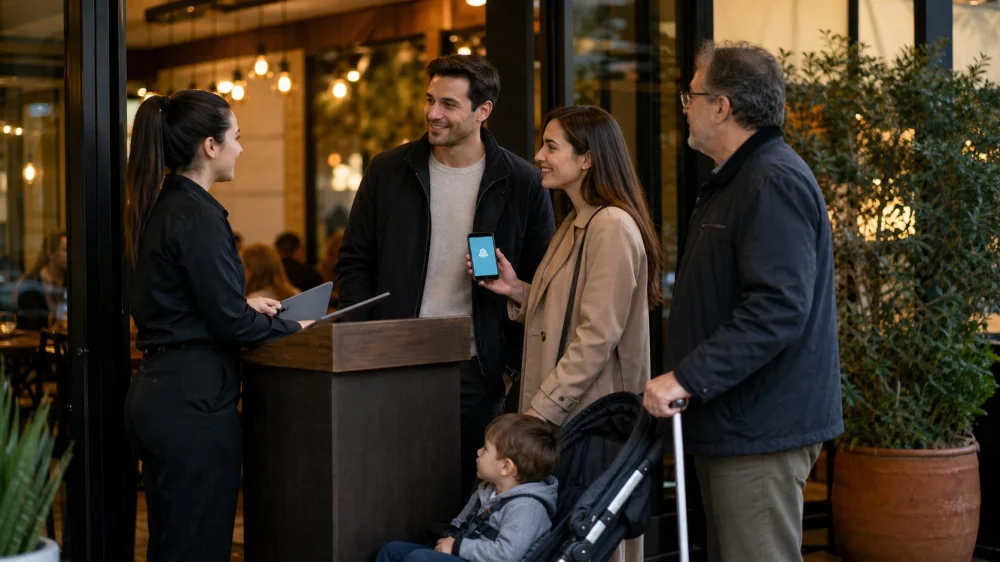
Restaurant Waitlist: Join, Track Your Place, and Arrive Ready
On this page
Quick answer
A restaurant waitlist is a queue, not a guaranteed reservation time. Give the exact party size, accessibility and seating needs, and a working contact number; ask how the estimate is calculated, how long the table is held after notification, and where your group may wait. Keep the party reachable and notify the host immediately if size or plans change.
The Old Wagon Saloon & Grill
San JoseSanta Clara CountyCalifornia
73 N San Pedro St, San Jose, CA 95110, USA
Give accurate party details
Count adults, children, high chairs, wheelchairs, and anyone arriving separately. A party of six cannot always use a table planned for four, and adding one person later may reset placement. State whether everyone must be present before seating and whether the restaurant can seat a partial group.
Disclose practical seating needs at check-in: step-free route, space for a mobility device, quieter location, chair with arms, high chair, or avoidance of bar-height seating. Do not present a preference as a medical detail you do not want shared. Ask what the restaurant can realistically provide during that service period.
Indian Sizzler
Santa ClaraSanta Clara CountyCalifornia
4150 Great America Pkwy, Santa Clara, CA 95054, USA
Understand the quoted wait
A quoted wait is usually an estimate based on current tables, meal pace, reservations, staffing, and party sizes. It can become shorter or longer. Ask whether “45 minutes” means likely notification near that point, a broad range, or the current longest estimate. Avoid planning a fixed event immediately afterward.
Waitlists do not always move in strict arrival order. A two-seat table may open while a larger party continues waiting, and accessible seating or reserved tables may be managed separately. Ask the host about the process without demanding another party’s information.
Manage calls and text alerts
Confirm the phone number and whether alerts come by text, call, pager, app, or verbal announcement. Add the restaurant number if provided and check that silent mode, spam filtering, battery level, and reception will not hide the alert. Do not share a one-time code or payment information in response to an unexpected message.
Ask how long the table is held after notification and whether you must reply. A text saying “table ready” can expire quickly. If the system includes a tracking link, use the link given at check-in and avoid entering personal credentials. Restaurant estimates may update without guaranteeing the final time.
Wait nearby without blocking
Follow the host’s boundary: lobby, patio, nearby block, shopping area, or vehicle. Stay within the response time. Keep entrances, accessible routes, host stands, service aisles, and emergency exits clear. Large groups should choose one contact person and gather away from the doorway.
If you order a drink or snack elsewhere, confirm whether it can be brought back; many restaurants prohibit outside food or beverages. Monitor children and belongings. Do not leave bags with staff unless an official storage process exists, and avoid consuming alcohol in a way that affects safe travel or conduct.
Be ready when called
Bring the group together before returning to the host. Close outside tabs, collect coats and mobility aids, finish restroom visits, and identify the reservation or waitlist name. Tell staff if a member is parking or moving slowly; do not assume the table can remain empty indefinitely.
At seating, confirm the party count and major access needs again. An allergy should be disclosed to the server or designated restaurant process, not only to the host. If the offered table does not meet a stated safety or access need, explain the specific issue and ask what alternative timing is possible.
Handle changes and cancellations
Notify the host if people leave, join, or decide not to dine. A smaller party may fit sooner, while a larger one may need a different table. If you accept another restaurant, remove your name promptly so staff do not hold space or continue messaging.
For a remote waitlist, confirm whether joining requires location proximity, a deposit, or app check-in. Save any terms and cancellation confirmation. If the restaurant closes the list or cannot seat you, ask for a realistic alternative such as another service time, takeout, or a nearby location without demanding a promise.
Frequently asked questions
Why was a later party seated first?
They may have a reservation, different party size, suitable table match, or seating requirement. The queue can contain several table categories rather than one simple line.
Does joining online guarantee a table?
Usually not unless the restaurant explicitly calls it a reservation. Read the terms, complete required check-in, and stay within the stated arrival window.
Should everyone be present?
Policies vary. Ask at check-in. Some restaurants seat complete parties only, while others allow a short delay or partial seating.
Evidence and limitations
This guide reflects common U.S. restaurant host and waitlist practice: accurate party data, estimated timing, table matching, notification windows, and clear access routes. Policies, privacy terms, deposits, seating priorities, and local accessibility obligations vary. The restaurant’s current notice and staff instructions control a specific queue.
Conclusion and next steps
Check in with an exact count and specific needs, confirm the alert method and table-hold window, and designate one reachable contact. Wait within the permitted area and gather promptly. Report changes or cancellation so the host can match tables fairly and your group can arrive ready.



 La Superior Taquería4.0 (998 reviews)
 El Pollo Loco4.0 (1187 reviews)
 Puesto Santa Clara4.0 (4672 reviews)
 Momo King-San Jose4.0 (12 reviews)
 PANCHO'S SPORTS BAR AND GRILL4.0 (31 reviews)
 Mini Gourmet4.0 (943 reviews)
 Top Restaurants With Tasting Menus in the US
 Top Italian Restaurants in Florida
 Where to Find Restaurants Open for Midnight Pizza and Craft Beer
 Best Sushi Restaurants Open Late for a Midnight Meal Near Me
 Hidden Gems: Small-Town Restaurants You Probably Didn’t Know Were Open Nearby | Restaurant Locator
 The Best Restaurants Open Near Me for Brunch on Weekends | Restaurant Locator