

Why “Open” Hours on Google Maps Can Be Misleading & How to Confirm
- Understanding Why Google Maps Hours Can Be Misleading
- Common Reasons for Inaccurate Opening Hours
- How to Confirm Business Hours Accurately
- Real-World Examples of Misleading Hours
- Tips to Avoid Confusion When Using Google Maps
1. Understanding Why Google Maps Hours Can Be Misleading
Google Maps is a powerful tool for finding businesses and checking their hours, but it's not always perfect. While Google strives to keep business hours accurate, there are many factors that can cause the displayed hours to be misleading. This can lead to frustration, especially when you're relying on this information to plan your day or special occasion.
Businesses often update their hours, especially around holidays or during special events. However, these changes don't always reflect immediately or accurately on Google Maps. Additionally, the hours listed may not account for changes in operating times for specific services within a business, such as drive-thru hours versus in-store hours.

Hacienda Parrilla Bar
San JoseSanta Clara CountyCalifornia
1820 Alum Rock Ave Ste 205, San Jose, CA 95116, USA
2. Common Reasons for Inaccurate Opening Hours
Several factors contribute to the inaccuracy of Google Maps hours. Understanding these reasons can help you better navigate potential issues and make sure you're visiting a business during its actual operating hours.
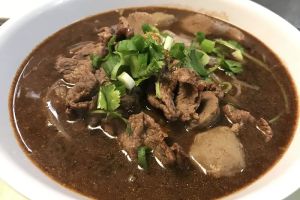
ORIGINAL SA-BY THAI
San JoseSanta Clara CountyCalifornia
273 E San Fernando St, San Jose, CA 95112, USA
2.1 User-Submitted Information
One of the main reasons for misleading opening hours is that much of the information on Google Maps comes from users. Customers, employees, or business owners themselves may manually update hours, but these updates can be incorrect or outdated. Sometimes businesses don’t update their hours to reflect seasonal changes or special closures.
2.2 Time Zone Errors
Another issue arises with time zone errors. Google Maps may sometimes display the wrong time zone, especially for businesses that operate across multiple regions. For example, a restaurant in a border town may be listed under the wrong time zone, which can confuse users trying to check when it's open.
2.3 Inconsistent Updates Across Platforms
Businesses may update their hours on their website or social media, but these updates might not sync with Google Maps right away. The result is a mismatch between the actual hours and what appears on the map, leading to confusion.
3. How to Confirm Business Hours Accurately
While Google Maps is a helpful tool, it’s always a good idea to double-check the hours before you head out. Here are a few ways to confirm business hours and avoid inconvenience.
3.1 Call the Business Directly
The most reliable way to confirm business hours is to call the establishment directly. This ensures that you have the most up-to-date information. If the business doesn’t answer, leave a voicemail or send an email to inquire about their hours.
3.2 Visit the Business’s Website
Checking the official website of a business is another great way to confirm operating hours. Most businesses list their regular hours, as well as any holiday or special event hours, on their website.
3.3 Use Other Review Platforms
Review platforms like Yelp, TripAdvisor, and Facebook are often updated more frequently by customers and can provide additional confirmation of operating hours. These sites can offer real-time information on whether the business is open.
4. Real-World Examples of Misleading Hours
To illustrate the potential issues with Google Maps hours, here are a few real-world examples of misleading information:
4.1 Restaurant with Holiday Hours Not Updated
A local restaurant in Chicago had its hours listed as open on Christmas Day, but when customers arrived, the restaurant was closed for the holiday. The business had updated its website with the correct hours, but the change had not yet been reflected on Google Maps.
4.2 Time Zone Confusion for Cross-State Businesses
A chain of coffee shops with locations in different states had its hours listed incorrectly for customers in a different time zone. This caused confusion when customers tried to visit the shop, thinking it was open during hours that were accurate for a different location.
5. Tips to Avoid Confusion When Using Google Maps
To avoid the frustration of inaccurate opening hours, here are some helpful tips to ensure you get the most reliable information when using Google Maps:
5.1 Double-Check Business Hours Before You Go
Always double-check the hours before heading to a business. Call, visit the website, or check other review platforms to confirm. This extra step can save you time and frustration.
5.2 Use Google’s “Report a Problem” Feature
If you notice inaccurate business hours on Google Maps, use the “Report a Problem” feature. This helps Google update the information, so other users aren’t misled in the future.
5.3 Use Alternative Sources for Confirmation
Don’t rely solely on Google Maps for business hours. Always cross-reference information with the business’s website or other platforms to ensure accuracy.
For users who want to make sure they're finding the right places, Restaurant Locator can help you discover restaurants, services, and more with up-to-date information that’s easy to verify.




 Hercules Draft House & Cantina4.0 (257 reviews)
 Bayon Temple4.0 (94 reviews)
 Zareenas Fusion Kitchen5.0 (8 reviews)
 Famosa Taqueria4.0 (43 reviews)
 Thaibodia Bistro - San Jose3.0 (47 reviews)
 China Chen4.0 (524 reviews)
 Exploring Fast Food Options at Restaurants Open Late Near Me
 The Best Spots for Late-Night Dining that Offer Gluten-Free Pizza and Pasta
 Discover the Best Places to Get a Late-Night Sandwich at Restaurants Open Near Me
 The Best Places to Find Artisan Pizza Late at Night in Your City
 Where to Find Late-Night Pubs and Casual Dining Restaurants in Your Area
 Best Seafood Restaurants Open Late for Fresh Crab, Oysters, and Lobster