
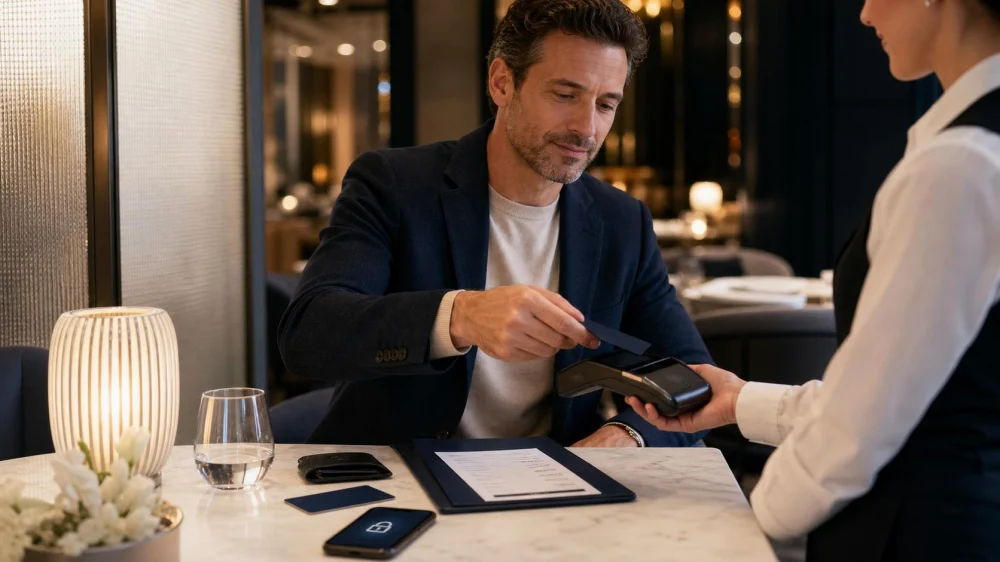
Cashless Restaurant Payment: Verify Methods Before Dining
On this page
- Confirm that the restaurant is cashless
- Check accepted cards and wallets
- Bring a backup payment method
- Review holds, minimums, and surcharges
- Protect card and phone security
- Handle group payment
- Check tip and service charge
- Manage a declined or offline payment
- Request and review the receipt
- Plan accessibility and alternatives
- Cashless payment checklist
A cashless restaurant accepts electronic payment instead of physical currency. The policy may apply to the dining room, bar, food hall kiosk, delivery counter, event, or specific location. Accepted cards, mobile wallets, gift cards, prepaid cards, and payment links vary, so verify the method before ordering.
Cashless rules and consumer requirements differ by jurisdiction, and restaurant policies can change. Contact the exact location through its official channel, especially when a diner has limited card access, needs an accessible terminal, is visiting internationally, or depends on a particular payment method.
Make the payment plan part of the reservation check. Note whether the restaurant is cashless, the party will use one bill or several, a deposit has already been paid, and an automatic service charge applies. Tell guests before arrival so they can bring an accepted method and avoid a hurried transfer at the table.
For a business or reimbursed meal, confirm whether the receipt must show guest count, itemization, tax, tip, and merchant address. Ask for that format at payment rather than trying to reconstruct it later. Keep personal and business cards distinct when policy requires it.

Confirm that the restaurant is cashless
Check the current official website, reservation confirmation, entrance notice, and menu. A review from last year may describe an old policy. Ask whether cash is declined entirely or accepted at a staffed register under certain circumstances.
For a restaurant inside a hotel, market, stadium, airport, or resort, confirm whether the venue and the outlet share payment rules. Room charge, venue card, or event wristband may not work at every vendor.

Check accepted cards and wallets
Ask which card networks, debit cards, contactless cards, mobile wallets, prepaid cards, gift cards, and house accounts are accepted. A contactless symbol does not guarantee every digital wallet or foreign card will work.
Verify whether a physical card is required for a tab, deposit, age-restricted purchase, or identity match. Bring the card used for a reservation if the restaurant requests it. Do not assume a screenshot of a wallet or card is acceptable.
Bring a backup payment method
Carry a second accepted card or wallet controlled by the diner or trusted companion. Check expiration, available funds, travel notice, phone battery, data access, and contactless settings. A backup should not depend on the same lost phone or frozen account.
Do not rely on another guest without agreement. For a hosted meal, tell the group who is paying and which method will be used. International visitors should confirm foreign transaction and dynamic currency policies with their issuer.
Review holds, minimums, and surcharges
Ask whether the restaurant places a temporary authorization for a tab, large party, reservation, private event, or hotel charge. The hold may exceed the current purchase and be released later according to merchant and bank processes.
Check card minimums, credit-card surcharges, debit differences, convenience fees, and local disclosures. The displayed menu price may not be the final electronic total. Ask before ordering when the policy is unclear.
Protect card and phone security
Use the restaurant's normal terminal, official QR code, or verified payment link. Inspect a QR code for an overlay or altered sticker and confirm the domain. Do not enter card details into a link sent by an unknown account.
Keep the card in sight when practical, shield PIN entry, and lock the phone. Avoid handing an unlocked phone to a stranger. Decline requests for passwords, one-time codes, or unrelated identity information.
Handle group payment
Ask before ordering whether the restaurant accepts multiple cards, equal splits, itemized splits, one payment only, or a maximum number of cards. Cashless does not mean unlimited split checks. Large parties may have one-payment and service-charge rules.
Use a private peer-to-peer reimbursement only among people who trust the account details. Verify the recipient and amount before sending. The restaurant receipt and personal reimbursements are separate records.
Check tip and service charge
Review the itemized bill for automatic gratuity, service charge, hospitality fee, delivery charge, or other fee before choosing an additional tip. Ask staff how a service charge is used if the restaurant provides that information.
On a screen, read the options rather than tapping quickly. Custom tip, no additional tip, and printed receipt should be available under applicable practice. Confirm the tip amount before approving the total.
Manage a declined or offline payment
If a card is declined, stay calm and try the agreed backup or contact the issuer. Do not repeat many attempts without checking, because security systems may block the account. Verify the amount and merchant before authorizing a bank alert.
If the restaurant's network or terminal is down, ask the manager for the lawful official process. Do not send money to a personal account or leave identity documents as collateral. Obtain a written receipt for any deferred or alternative arrangement.
Request and review the receipt
Choose paper, email, text, or another secure receipt method. Check items, quantities, prices, tax, fees, discounts, gift credit, tip, total, and masked payment method before leaving. Avoid providing an email or phone when a paper option meets the need.
Save the receipt until the charge posts and any authorization hold disappears. Contact the restaurant promptly about a duplicate, wrong tip, missing refund, or unfamiliar item. Preserve the receipt and statement without posting card details publicly.
Plan accessibility and alternatives
Ask whether the terminal can be brought to an accessible position, offers audio or tactile support, and allows enough time for review. A diner should not have to disclose a PIN or surrender a phone because the device is out of reach.
People without a bank card may need an accepted prepaid option, companion arrangement, venue card, or another lawful alternative. Check local rules and the restaurant's process in advance rather than discovering a barrier after eating.
Cashless payment checklist
Confirm the exact location, accepted card or wallet, physical-card requirement, backup method, battery, holds, minimum, surcharge, group split, service charge, tip screen, terminal accessibility, outage process, and receipt.
A smooth cashless meal starts before the bill arrives. Verify that the planned method works, keep a separate backup, review every fee and tip, and save the receipt. Electronic payment should make settlement faster without reducing security, clarity, or access.





 Wienerschnitzel4.0 (1004 reviews)
 Tazmania food4.0 (39 reviews)
 SmokeEaters Hot Wings4.0 (1221 reviews)
 Pizza Bocca Lupo4.0 (372 reviews)
 Thai Chili Cuisine4.0 (952 reviews)
 Hajis Restaurant & Catering4.0 (512 reviews)
 Restaurant Menu Availability Guide: Confirm Before Travel
 How to Use Mobile Apps to Locate Restaurants Open Near You in Real Time
 Exploring the Trend of "Comfort Food All Day" at Restaurants in Suburbia
 How to Find Restaurants Open Near Me With Excellent Gluten-Free Dessert Options
 Restaurants That Offer More Than Just Late Night Menus in the US
 The Best 24/7 Diners That Offer Everything from Burgers to Breakfast All Day